






























My Trip Online is a third-party travel assistant that helps automate some routine pre-flight tasks: check-in, fast track, lounge access and concierge support. Frequent flyers are the target, along with anyone juggling more than one booking at a time. The reviews are mixed, and this article goes through them: what the service does well, and where it stops being worth the fee..
Before trusting a rating on a forum or aggregator, it helps to know what the service actually does and where its job ends. This is what this article is about. We’ll explain how online check-in with the platform works, what travelers say and what to check before entering payment details.
How Online Check-In With My Trip Online Works
The whole point is that nobody has to watch the clock. Everything starts with connecting an email inbox. According to the platform’s explanation of its automatic check-in process, access is read-only and used to identify flight confirmation emails. The system then tracks each booking until the airline opens its own check-in window, usually 24 to 48 hours before departure.
Join The European Business Briefing
New subscribers this quarter are entered into a draw to win a Rolex Submariner. Join 40,000+ founders, investors and executives who read EBM every day.
Subscribe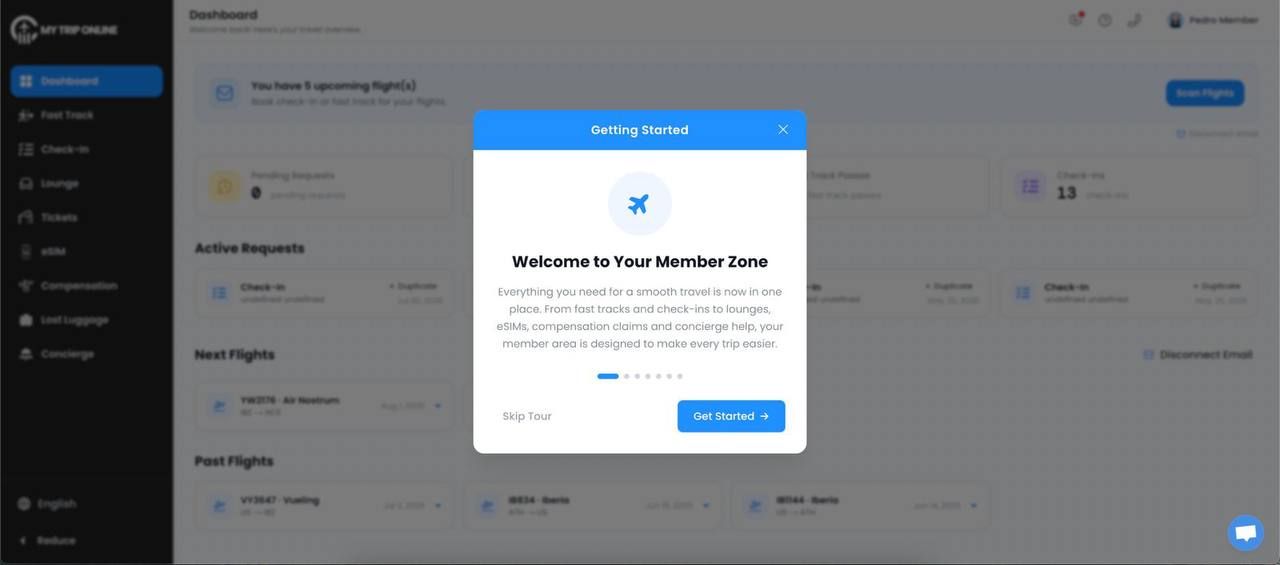
There are limits, though. Some bookings still require verification, payment for an airline-selected extra, or an in-person step at the airport. It is worth checking flight status anyway and confirming the boarding pass actually showed up before heading to the terminal. If it has not, the safest move is the airline’s own site or app, then support.
Seat allocation also remains subject to the airline’s rules. Using an outside check-in service does not create a guaranteed seat choice, an upgrade or an exception to the carrier’s deadlines.
This setup makes sense for people flying several legs, managing a family booking or traveling for work often enough that check-in stops feeling special. It also tends to appeal to travelers on low-cost carriers like Ryanair, Wizz Air or easyJet, where missing the airline’s window can create an avoidable problem. The platform says it works with those airlines and dozens more, but coverage should still be checked for the actual booking.
Check-in is also only one part of the membership. The plan sells fast track slots for priority lanes, discounted lounge access and concierge help. Those extras are separate from the flight itself and their availability differs by the airport.
What Travelers Say: Reviews and Real Experiences
The positive reviews tend to say the same thing, which is convenience. Travelers value having fewer things to arrange before a flight, especially when automated check-in or an airport fast-track saves time on a tight schedule.
The more useful reviews are specific. They describe a boarding pass that came through, or a lounge or fast-track booking that was confirmed without any manual steps. My Trip Online check-in reviews are most informative when they name the airline, the airport, the travel date and the service used, since a rating on its own says little about whether the service will suit a particular trip.
Opinions tend to divide over payment. My Trip Online runs on subscription plans, and some sign-ups begin with a trial before converting to a recurring charge. Before buying, travelers should check the first charge, the renewal price, the billing frequency, the trial end date, and how to cancel.
That structure isn’t a problem in itself. Whether the service is worth paying for depends on what the plan covers and how often the traveler expects to use it.
What to Check Before You Subscribe
Judge a travel service on the exact trip and plan you’re buying. Before you hand over payment details, work through this list:
Read the terms and conditions. This is where usage limits and billing rules are set out. Check what’s included, what isn’t, and how cancellation works.
Confirm whether the charge is one-off or recurring. Check the starting price, whether a trial applies, the renewal amount, the billing frequency, and the currency before entering any card details.
Find and save the My Trip Online customer service contact. Support is available by email at [email protected], and plans can be stopped through the online cancellation page. Keep both to hand in case a booking, payment, or cancellation needs attention later.
Confirm your trip is covered. Check that the airline, airport, terminal, booking type and number of passengers all match what the service supports.
Understand what MTO is and isn’t. It’s a third-party travel service, not an airline or an airport. Flight schedules, baggage rules, seat allocation, boarding procedures, upgrades, and whether a given service exists at your terminal all remain with the airline or airport. A specific seat or upgrade can’t be guaranteed.
My Trip Online reviews point to a fairly practical trade-off. Automatic check-in can remove a small but irritating job, especially for frequent travelers, families and people managing several flights. The wider bundle can also be useful when airport extras are something you already buy rather than something added because it happens to be on the checkout screen.
But convenience does not mean much if the subscription blindsides someone later. Check the plan, the renewal amount, the currency, the trial period, what’s covered at your airport, how cancellation actually works. And do not forget that the platform is a third-party assistant.
For someone who reads the fine print and plans to use more than one service, the membership may earn its place in the travel routine. An occasional flyer will probably do just as well checking in directly and buying airport extras one at a time. Either way, the marketing matters less than what’s actually on the checkout screen.