




























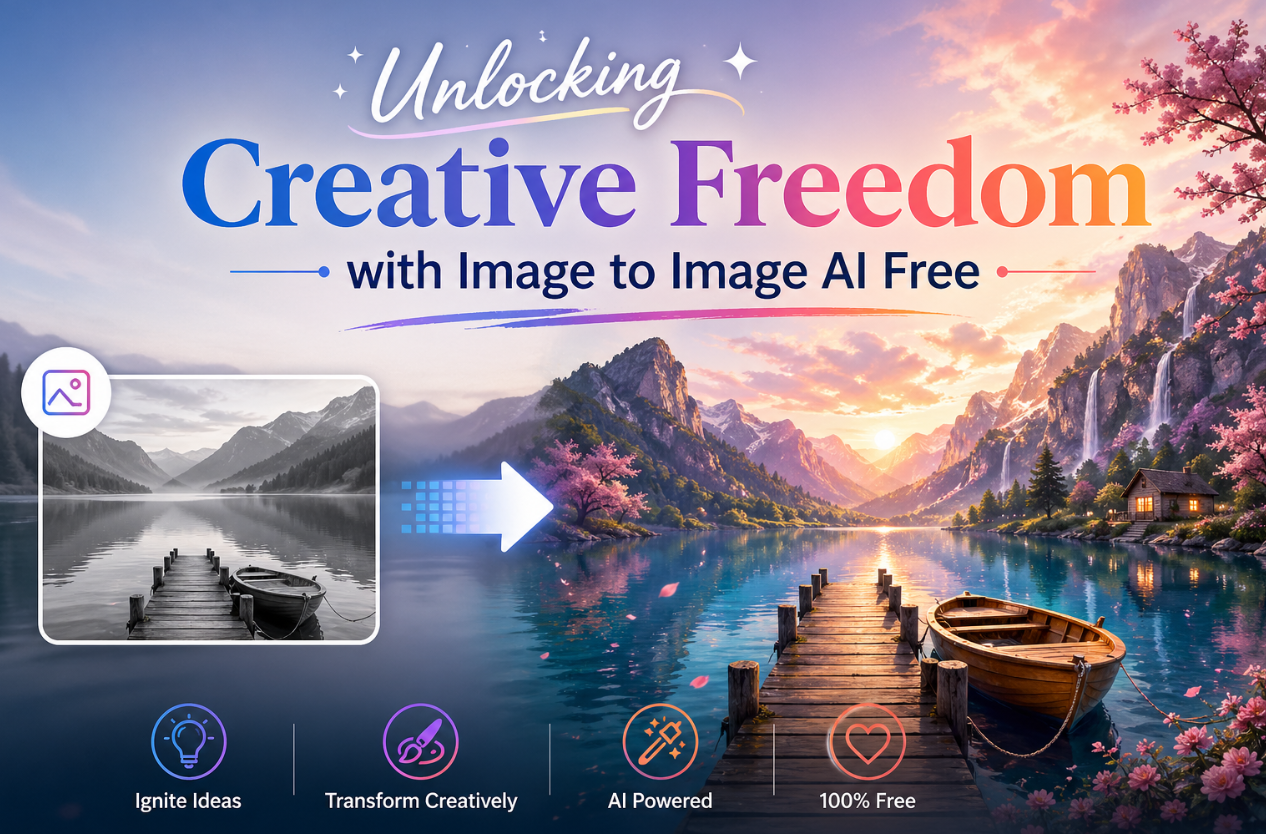
Each year a diverse array of writers feel strong emotions associated with visualization. They may have a detailed image of an event or scene that they want to put into words, but sometimes words can fall short of communicating that specific image to others. The resource to help visualize an event or scene using your imagination can be found using Artificial Intelligence (AI) applications; particularly an image to image conversion application. Image to image conversion applications allow a person to upload a photo and then have the image transformed into another photo with the same or different characteristics. This transformation can be accomplished without prior knowledge or training, access to any type of design or editing software, or any type of technology or financial resources other than simply having an idea and the need for a few clicks. As new image to image applications continue to be created, one of the best options for creative writers is TeraBox! It is both easy to use and very functional.
What Is Image to Image AI Free and Why Should Writers Care
Using image to image AI free means that you are using technology that allows you to take a pre-existing image and create a new version of that same image. Unlike text-to-image generation which creates an image from scratch, image to image AI will work from your reference image. It will maintain the structure you want while still changing things like style, background or some specific objects in the scene. This is not the same as just using a filter on a photo, because this type of AI understands what is in your original image. You could have a beach scene in your photo for example, and replace it with a snowy mountain background, while leaving the people in your photo where they were originally.
Join The European Business Briefing
New subscribers this quarter are entered into a draw to win a Rolex Submariner. Join 40,000+ founders, investors and executives who read EBM every day.
SubscribeThis technology provides a lot of new options for writers. For example, if you are developing a fantasy book, you could take a picture of a forest near your house and use it to create an illustrated memory of your fantasy woodland, with trees that glow in the dark, etc. Alternatively, if you are developing a historical book, you could take a modern picture of a street and turn it into an image of what it might have looked like during the Victorian period. You can use these images to trigger your thoughts as you write, or as marketing pieces for your books. Some uses for these images include creating ideas for covers, social media posts about your book, or portraits of characters. All of these things can be done using free image to image AI tools.
The term “free” is the coolest thing about this. You no longer have to invest hundreds of dollars for software licenses costs. You can now experiment, have fun, and create without financial pressure. Visual creativity for independent authors and content creators has been greatly democratized.
Why TeraBox Leads the Pack in Image to Image AI Free
TeraBox has an image-to-image generator that is completely free. The platform contains an extensive range of creative media as well as free cloud storage to store your creative assets. The combination of these two resources makes TeraBox an invaluable resource for writers who create and maintain numerous pieces of writing and visuals through research and drafts.
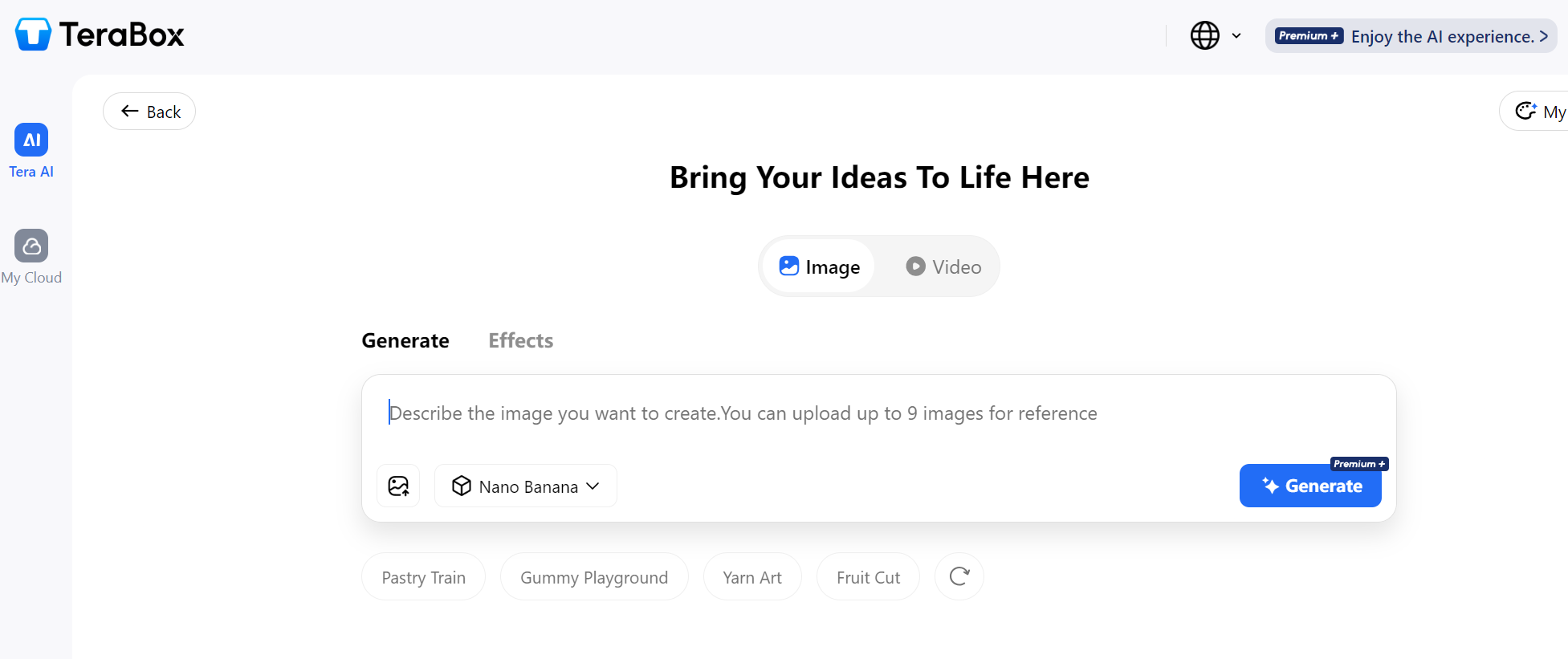
Using Nano Banana and other cutting-edge AI models for image transformation, TeraBox can create high-quality transformations of user-uploaded images in mere seconds by creating a rendering from a set of user-provided reference images and prompts.
The main differentiator for TeraBox is the ability to manipulate images with six AI features. You can create a visual representation of text with text-to-image. Create a completely new version of an image with image-to-image. No matter what type of picture you have there are five different creative effects (watercolor, oil painting, sketch, anime and photorealism) to choose from. The background replacement feature can automatically identify the main subject in an image, and replace the background with something else. This can help make a custom author’s headshot or book cover prototype look professional. Using AI to intelligently replace items within an image, the object replacement feature will replace the selected object while maintaining the same lighting and perspective (e.g. moving a book from one shelf to another). The scene expansion feature allows you to “extend” your existing scene, and the AI will fill in new space created. The AI will fill in the new space while maintaining equal visual consistency with the original image.
There is no other complete and comprehensive solution than TeraBox’s Free Tools. Most other tools only have two or three functions available for free. TeraBox provides you with a complete creative suite, so you will never run out of things to do! TeraBox allows writers to create characters, design cover art, create promotional artwork, and create mood boards! To make it even easier for you, TeraBox provides an application to store your files in the cloud.
How TeraBox Compares to Other Free Image to Image AI Tools
The market for image to image AI free tools has grown quickly. Several platforms now compete for attention. Let us look at how TeraBox compares to the most popular alternatives.
The free and unlimited access to Raphael AI, as well as its no-register-required model, are making this program popular. Raphael AI makes images using the FLUX.1-Dev model. The ability for users to upload reference images into Raphael AI and to specify the influence of the reference image on the final output is appealing. However, Raphael AI is more of a traditional text-to-image converter than it is a image converter. For example, the image/image capabilities of Raphael AI are not nearly as developed as those of TeraBox. Additionally, some reviews indicate that users are experiencing instability and inconsistencies with Raphael AI. Those looking for reliable and professional visuals (especially writers) are likely to find TeraBox to be a much more seamless experience.
CapCut is a powerful video editing tool that also has an AI image-to-image generator feature powered by the Seedream 4.0 and Nano Banana Pro models. This makes it easy to incorporate images into your video workflow, whether you’re creating book trailers or other types of video content. However, keep in mind that image generation is a secondary feature of the CapCut app and is designed more for the purpose of editing videos than generating images. CapCut’s interface can be cluttered and confusing if all you want to do is change a picture; in contrast, TeraBox provides a more streamlined interface that focuses on only generating images.
Vheer has an extensive free, AI-based suite of tools, including image to image generator with no registration required. This allows a user the ability to use the tool quickly and anonymously. The users have reported that the image to image generation results from Vheer can be inconsistent. There are examples of images that were generated that were completely different from the images provided to create them, with very little relationships to the specific prompts or images used to generate them. Writers who need consistent, predictable results would find TeraBox has more dependable results.
GoEnhanceAI is oriented toward both style transfer and image enhancement. This software can also accommodate natural language editing, allowing you to describe your desired changes using ordinary language. The tool is beneficial to photographers and content creators who provide regular posts but operates off of a credit-based system; therefore, the credits can be consumed quickly. You receive little on the free tier, and the free template system offered by TeraBox provides a more generous experience with the option of upgrading.
PixPark AI has a range of editing tools available to create new images or to change the look of an existing image. Users can create new images from uploaded photos without needing to create an account and have no usage limits; therefore, this is a very generous service. However, PixPark has only been available for a short period of time and may not be as stable over the long term as TeraBox which provides integrated storage for creations automatically so that users can access their creations at any time, from any device.
Practical Tips for Getting the Most from Image to Image AI Free
Getting great results from image to image AI free tools requires some technique. Here are practical tips specifically for writers using these platforms.
Choose a reference photo that is either of great resolution and quality or at least some similarity in pose to the output you want. If you are picking a high-quality photograph as your reference, you will get high-quality results. TeraBox supports the following image formats: PNG, JPG, and JPEG. The maximum allowable file size is 20MB, which should be substantial for the majority of your photographic applications.
Use clear and specific instructions for all prompts. Providing a generic prompt will yield a generic result! Instead, say “Change the background of the sunny beach to be the snowy mountain scene with the individual still located in the same position.” Having the request spelled out this clearly will help the AI understand your intent.
Explore new possibilities toward accomplishing creative goals within an artistic direction for your project by using the creative effects option. A watercolor aesthetic can bring a soft, literary quality; anime aesthetics to create the feel of Youth/Teen literature; and photorealistic aesthetics for modern-day Fiction. Each artistic aesthetic has its own distinct mood communicated through its artwork; therefore, choice of artistic aesthetic should reflect what will provide your target market audience with their desired genre experience.
Don’t limit your thoughts to only one image at a time. Instead, think of creating a visual universe with TeraBox as your virtual creation tool to assemble a catalogue of altered images for referring to as examples of place in your narrative. You can save the images in your cloud storage system and refer back to them as a source of inspiration when you’re in your writing mode, thus creating a huge visual library that will add to your creative energy.
The Future of Image to Image AI Free for Creative Professionals
A fast-changing landscape of free AI-based conversion tools is emerging as these models improve in ability to understand more complex prompts and speed of processing continues to increase and significant new features are regularly added. TeraBox has positioned itself well to take advantage of this space by combining powerful artificial intelligence (AI) with functional cloud storage in which your creative assets are all housed in one location. Your images, original drafts, notes, and transformed visual creations are all stored together in cloud.
Those writers who use the tools above early will have an advantage creatively and can create images that separate them from others. Writers can also try different visual directions for their writing prior to investing in expensive design work. Writers can also connect with readers using visuals that cannot be found in a stock photo library. Now there are lower barriers to entry than ever. Tools such as TeraBox make it easy for anyone to use professional-grade images without the need for expensive equipment or software purchases.