





























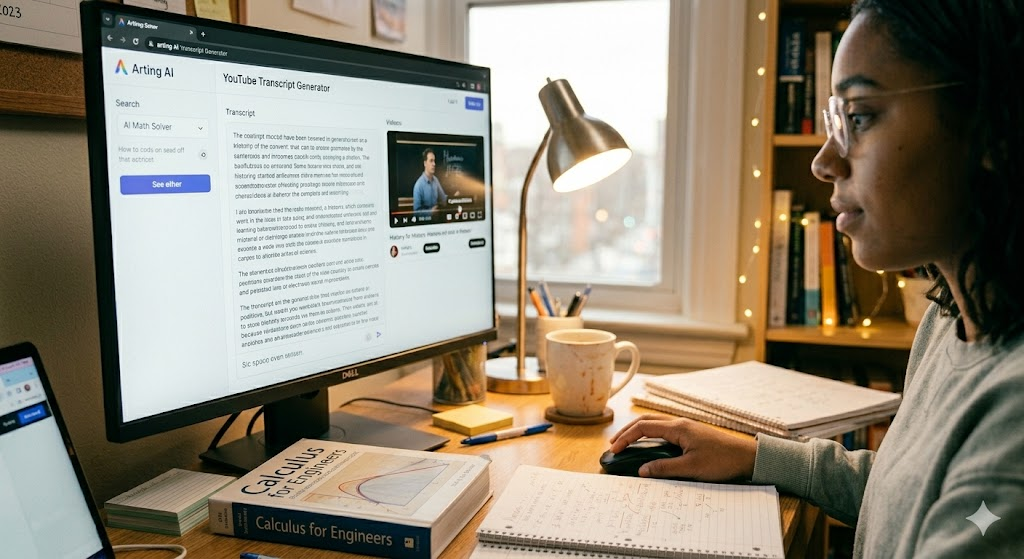
If you have ever tried to pull useful notes out of a long video, you already know where the time goes. It is not always in watching the video itself. It is in pausing, rewinding, typing, checking, and trying to capture spoken content before the next sentence arrives. That is why AI Productivity tools have become so practical in everyday work. They reduce the small frictions that quietly eat up time.
For students, researchers, marketers, and anyone working with video-based material, transcript generation is one of the clearest examples. You do not want to build a complicated workflow just to turn speech into text. You want a fast, readable result that gives you something useful right away. That is where a YouTube Transcript Generator can make the process much easier. Related tools follow the same pattern. Image to Video AI without login reflects the same preference for direct access, immediate output, and minimal setup.
This guide takes a simple how-to approach. It explains how transcript tools have improved, what makes one reliable, how to get started with Arting AI, and what habits help you get more value from the output once the transcript is generated.
Join The European Business Briefing
New subscribers this quarter are entered into a draw to win a Rolex Submariner. Join 40,000+ founders, investors and executives who read EBM every day.
SubscribeQuick Reference
| Feature | Quick View |
| Generation speed | Quick results after submission |
| Input requirements | Paste a video URL to start |
| Scene options | Study, notes, review, research |
| Access model | Free online access, no login |
| Key limitation | Clearer audio improves accuracy |
How the Technology Has Improved
Transcript tools used to feel inconsistent. Sometimes they worked, sometimes they did not, and even when they did, the output often needed so much cleanup that the time savings were not especially impressive. If the audio was fast, accented, noisy, or poorly recorded, the final text could be frustrating to work with.
That has changed in meaningful ways. Modern systems can return text much faster, present it in a cleaner layout, and give users something readable enough to work with immediately. Instead of treating transcript extraction as a specialized task, they make it feel like a normal part of a digital workflow.
Speed matters more than people first expect. If transcript output arrives quickly, users are more likely to stay in the flow of their work. They can move from video to notes, from lecture to revision, or from interview clip to written summary without breaking concentration. Honestly, that small difference changes how often people actually use the tool.
Input has become simpler too. A long time ago, transcription often meant software setup, manual uploads, or platform-specific steps that slowed everything down. Now the process can begin with something much more direct: paste a link, wait briefly, and work from the text. That simplicity is a major part of why these tools now fit naturally into everyday productivity.
What Makes a Reliable Tool in This Space
If the goal is to save time rather than create another cleanup task, reliability matters. A useful transcript tool needs to do a few things consistently well.
Fast enough to support real work
If a transcript takes too long, the benefit drops quickly. A reliable tool should help users move from video to text without turning the wait into another interruption.
Simple enough to start immediately
Most people do not want a multi-step setup process when all they need is text from a video. The easier it is to begin, the more naturally the tool fits into study, research, and content workflows.
Readable enough to use right away
Transcript output does not need to be perfect to be useful, but it does need to be structured clearly enough for note-taking, review, quoting, or summarizing. Clean formatting makes a huge difference here.
Honest about its limits
Audio quality still matters. So do original captions, video restrictions, and the platform’s editing options. A reliable tool should be useful within those boundaries, not pretend they do not exist.
The same logic applies across related tools. Image to Video AI without login is appealing for a similar reason: users often want to start immediately, get usable output, and move on without unnecessary friction. Different task, same practical expectation.
Arting AI and the Fastest Way to Start
Speed is the lead feature here, but its value becomes clearer when you look at how people actually use video content. Most users are not trying to admire the mechanics of transcript generation. They are trying to get to the text, extract what matters, and continue with the task in front of them. That is where Arting AI becomes especially useful.
With YouTube Transcript Generator, the workflow is direct. Paste the video URL, generate the transcript, then move straight into reading, copying, reviewing, or organizing the text. That simplicity matters because it reduces delay at the exact point where many workflows usually slow down.
The first practical advantage is access. Arting AI can be used online for free, with no login required. That means users can reach it as soon as the need appears, whether they are reviewing a lecture, extracting quotes from an interview, pulling talking points from a webinar, or turning a tutorial into written notes.
The second advantage is speed. Results can appear in seconds, which means the gap between finding a useful video and working with its transcript stays short. For someone collecting research, building notes, or reviewing class material, that speed can make the whole task feel lighter.
The third advantage is ease of use. A simple paste-and-generate flow removes extra steps. Users do not have to figure out complicated settings before they can begin. They can move directly from the source material to the transcript itself.
Output quality is another part of the experience. The platform is built to return readable, structured transcript text rather than forcing users to untangle a messy block of words. That makes the tool more practical for real tasks like highlighting ideas, scanning for key phrases, and turning video material into written reference notes.
At the same time, the limitations matter. Accuracy depends on the original audio quality. Heavily noisy recordings, unclear speech, or overlapping voices can reduce precision. Some users may also want deeper editing or customization options than the tool is designed to provide. Private or restricted videos may not be supported, and final formatting can still depend on the quality of the original captions.
That does not reduce the value of the tool. It simply clarifies how to use it well. The smartest workflow is usually this: choose a clear public video, generate the transcript quickly, scan the output, then clean up only the sections you truly need. Used that way, Arting AI becomes more than a convenience. It becomes a reliable shortcut to the next useful step.
Here are a few practical tips for getting better results:
- Start with videos that have clear speech and minimal background noise.
- Use the transcript for structure first, then polish only the quotes or sections you plan to reuse.
- Break long videos into note sections as you read, rather than waiting until the end.
- Compare confusing lines against the original video instead of assuming every imperfect phrase needs a full rewrite.
- Use the tool to save time on extraction, then spend your effort on interpretation and organization.
That pattern is where the real benefit shows up. The transcript is not the end product in most workflows. It is the material that helps you create the next one more quickly.
Who Benefits Most
Students are an obvious group, especially those who work from recorded lectures and need text they can search, highlight, and revisit later. A transcript can turn a long video into something much easier to study from, particularly when exam review depends on finding specific explanations quickly.
Researchers and writers benefit for a similar reason. They often need to scan spoken content for themes, quotations, or reference points without replaying the same ten minutes again and again. Marketing teams, content editors, and creators also benefit when they need to pull points from webinars, interviews, or tutorials and turn them into summaries, outlines, or repurposed material.
The broader workflow matters too. A YouTube Transcript Generator helps with the text side of the process, while Image to Video AI without login fits the same low-friction pattern for visual creation tasks when users want to move quickly without an account wall. In practice, people rarely think in terms of isolated tools. They think in terms of finishing the job in front of them with less delay and less setup.
Conclusion
Generating transcript text from a YouTube video no longer has to feel complicated. When the workflow is fast, simple, and accessible, it becomes much easier to turn spoken content into something you can actually use.
Arting AI supports that process in a straightforward way. It gives users free access, quick results, a simple URL-based workflow, and readable output that can support note-taking, review, and content reuse. The limits are still real, especially around audio quality, restricted videos, and formatting, but the core task becomes much lighter when the first pass is handled efficiently.
So if your goal is to move from video to text without wasting time, the practical approach is clear: use a fast transcript workflow for extraction, then focus your own effort on reading, editing, and applying what matters. In that wider productivity pattern, Image to Video AI without login reflects the same preference for direct access and quick output once the transcript work is done.