






























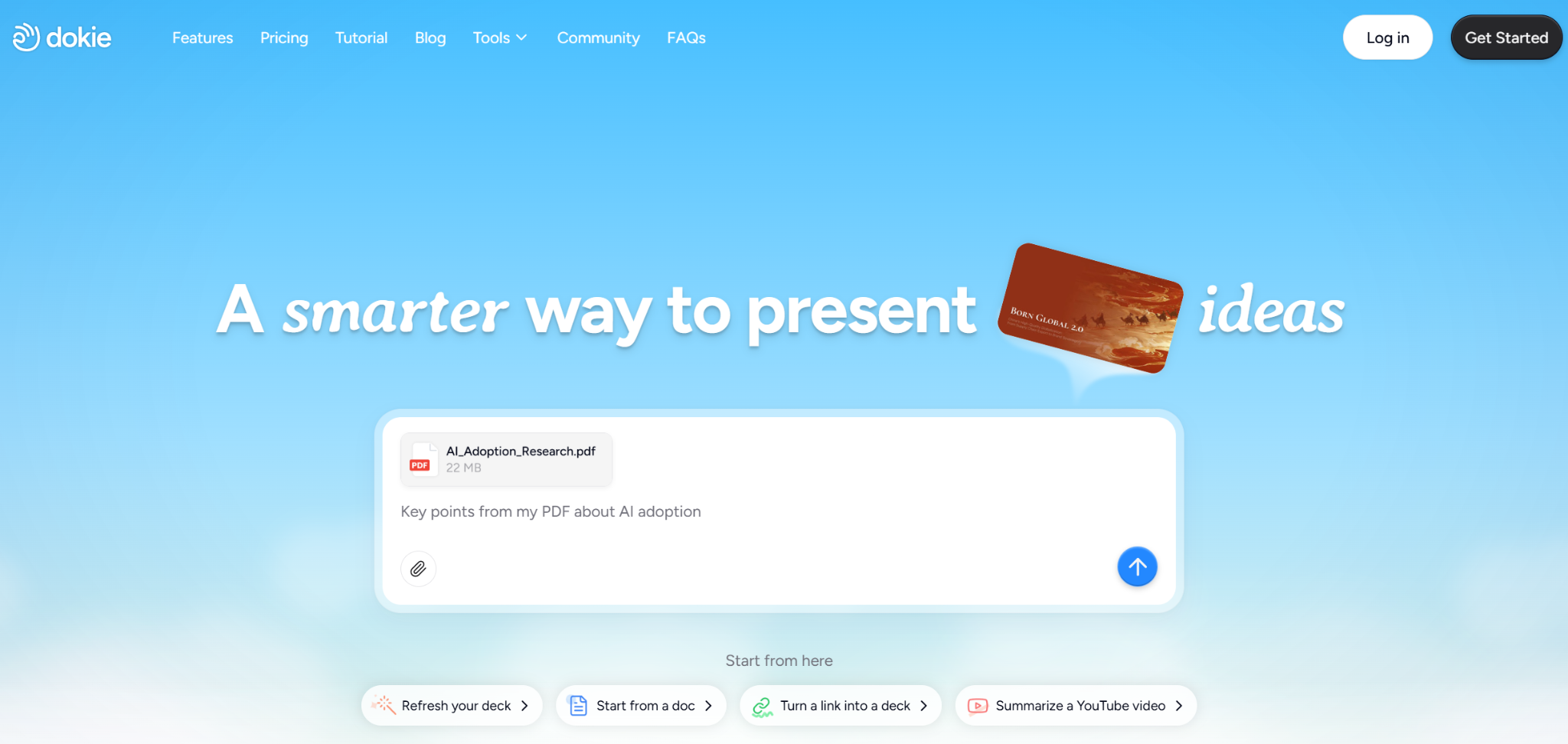
A lot of AI slide tools try to impress users with speed. Dokie AI feels more useful because it focuses on practical work.
It helps users turn real content into slides faster, and it also offers free essay examples, which makes the product more flexible than many standard AI presentation makers.
What Makes Dokie AI Different
Most AI presentation makers are built around one simple idea. You type a topic, the tool generates slides, and then you decide whether the output is good enough to keep. That model is easy to understand, but it does not fully match the way most people actually create presentations.
Join The European Business Briefing
New subscribers this quarter are entered into a draw to win a Rolex Submariner. Join 40,000+ founders, investors and executives who read EBM every day.
SubscribeIn real life, presentations usually start with source materials. A student may have class notes, an essay draft, and a few references. A marketer may have a report in PDF form, campaign notes in a doc, and performance data in Excel. A consultant may have a strategy outline, screenshots, and a draft proposal. Even a teacher preparing class slides often begins with existing teaching material, not a blank idea.
This is where Dokie AI stands out. It is not just an AI presentation maker that works from prompts. It is a tool designed to help users turn existing materials into slide decks more efficiently. That makes it feel more grounded in real workflows and less like a novelty product.
What Is Dokie AI?
Dokie AI is an AI PPT maker and AI slides generator designed to help users build presentations from different forms of input. Instead of forcing users to rebuild everything by hand, it supports a range of content-to-slides workflows.
These include:
- PDF to Slides
- Word to Slides
- Text to Slides
- Excel to Slides
- JPG to Slides
- PNG to Slides
- HTML to Slides
- DOC to Slides
This feature set matters because it reflects how people already work. Most users do not need help coming up with random content. They need help turning work they already have into a clean presentation. Dokie AI addresses that problem directly.
On top of that, Dokie also provides free essay examples, which broadens its value, especially for student users. It means the platform is not only helping with presentation output. It is also helping with content understanding and writing support.
Why Many AI Slides Generators Still Create More Work
The AI presentation maker category is crowded now, but many tools still fall into the same trap. They can create slides fast, but they do not reduce enough of the real work.
This usually happens for a few reasons.
First, many tools are too generic. They can produce a deck, but the structure feels weak. Slides may look acceptable at first, but once you actually read them, the flow is unclear and the message feels shallow.
Second, many tools assume the user is starting from nothing. But in real workflows, that is often not true. Most users already have content in some form. The hard part is not idea generation. The hard part is organizing and converting content into a presentation.
Third, some tools save time at the start and then cost time later. Users generate a deck quickly, only to spend a long time fixing wording, reordering slides, and reworking the story.
Dokie AI is stronger because it reduces a more important kind of work: rebuilding. Instead of only generating from a topic, it helps shape the materials users already have.
Dokie AI as a Content-to-Slides Tool
One of the best ways to understand Dokie AI is to stop thinking of it only as an AI slide generator. It is better described as a content-to-slides tool.
That is a much more practical idea.
Take PDF to Slides as an example. Reports, white papers, school materials, internal recaps, and research documents are often shared in PDF format. Normally, if someone wants to turn a PDF into a deck, they have to go through the file, copy important points, rewrite them, and organize them manually. Dokie AI helps shorten that process.
The same is true for Word to Slides. Written documents are often where planning starts. A strategy brief, campaign outline, essay draft, or teaching note may all begin in Word. Turning those into slides usually means extra formatting and restructuring. Dokie helps make that conversion smoother.
Text to Slides is useful in a different way. It is ideal for users who have rough notes, meeting bullets, or unfinished outlines. In many cases, users do not need help writing long content. They need help organizing raw thoughts into a presentation structure.
Excel to Slides is especially useful for business users. Data reporting is one of the most common reasons people make presentations. Performance reviews, campaign updates, growth summaries, and forecast decks often start as spreadsheets. Excel to Slides makes that path much more direct.
Then there are the visual and web-based formats. JPG to Slides and PNG to Slides are helpful for screenshots, charts, ads, interface examples, and image-based references. HTML to Slides is useful for product pages, landing pages, articles, and other structured web content. DOC to Slides adds another layer of flexibility for users working with a broader range of document types.
This is why Dokie AI feels broader than a standard AI PPT maker. It is not only helping users create slides. It is helping them translate work across formats.
Why Free Essay Examples Matter
One of the most interesting parts of Dokie AI is that it also provides free essay examples for students. On the surface, that may seem separate from presentations, but it actually fits the product well.
A lot of users, especially students, do not move in a straight line from topic to slides. They move from research to writing, then from writing to presentation. A student may first need to understand how a topic is structured in essay form before turning that idea into a class presentation. A teacher may want sample content before building lesson slides. Even non-student users can benefit from examples that show clear organization and writing flow.
Free essay examples help users in a few ways.
First, they help with topic understanding. Seeing a sample structure can make it easier to understand how a subject should be explained.
Second, they help with writing quality. Many people struggle with how to frame an idea clearly before they ever reach the slide-building stage.
Third, they naturally support presentation building. A strong essay or written outline often becomes the basis for a strong presentation. If Dokie helps with both, then it supports a larger part of the user journey.
This makes Dokie AI feel more like a content support platform, not just a slide generator. That is a real advantage, especially in education.
Dokie AI for Students
Dokie AI makes a lot of sense for students because student workflows often involve both writing and presentations. A student may start by reading examples, building an outline, drafting an essay, and then turning that content into slides. Dokie can support several parts of that process.
For example, free essay examples can help a student understand how to organize a topic. Then Text to Slides or Word to Slides can help turn that written work into a presentation. If the student also has charts or screenshots, JPG to Slides or PNG to Slides may help. If they are working from class materials in PDF form, PDF to Slides becomes useful.
That kind of flexibility is important. Many AI presentation makers focus only on the final slide output. Dokie is more useful because it can fit into the earlier stages too.
For students who often have to switch between writing and presenting, that makes the product much more practical.
Dokie AI for Business Users
Dokie AI also works well for business users, though in a different way.
In business settings, people often have the content already. What they lack is time. A team may have data in Excel, notes in a document, a report in PDF format, and a few screenshots from a dashboard. The real problem is turning that into a client-ready or meeting-ready deck quickly.
That is where Dokie is strongest.
A marketer can use Excel to Slides for campaign data, JPG to Slides for ad screenshots, and Text to Slides for key takeaways. A consultant can use Word to Slides or PDF to Slides for proposals and strategy recaps. A founder can use rough notes and HTML to Slides to build a product or investor presentation faster.
Because it supports these content-heavy workflows, Dokie feels more practical than many AI slides generators that only perform well with a fresh prompt.
Output Quality and Editing
Like most AI presentation makers, Dokie AI works best as a strong first-draft tool rather than a final answer. Users should still review the output, improve the phrasing, adjust slide order, and check any important facts or numbers.
That is not a flaw unique to Dokie. It is simply the current reality of AI slides generators.
The real test is whether the tool saves enough time before that editing stage. Dokie often does, especially when the user already has clear source materials. Instead of spending time rebuilding information from one format to another, the user can start much closer to a usable draft.
Its output style also seems more practical than flashy, which is a benefit for users who care about business decks, school presentations, and clear communication.
Strengths of Dokie AI
Dokie AI has several clear strengths.
The first is flexibility. Supporting PDF to Slides, Word to Slides, Text to Slides, Excel to Slides, JPG to Slides, PNG to Slides, HTML to Slides, and DOC to Slides gives the product a lot of real-world value.
The second is workflow fit. It matches how people already work instead of forcing them into a prompt-only system.
The third is broader usefulness. By offering free essay examples, Dokie supports both writing and presentation work, which is especially helpful for students and education-related use cases.
The fourth is practicality. It is not trying to be the most dramatic or experimental AI presentation maker. It is trying to help users finish work faster, and that is a better goal for many people.
Weaknesses of Dokie AI
Dokie AI still depends on input quality. If the source material is weak, the output will likely need more editing.
It may also be less exciting for users whose top priority is highly custom visual design. Some tools focus more on presentation aesthetics or unique visual storytelling. Dokie seems more focused on utility.
And as with all AI PPT makers, users still need to review the final slides rather than trusting them fully without checking.
Is Dokie AI Worth Using?
If your workflow starts with real content instead of a blank prompt, Dokie AI is worth serious consideration. Its value comes from helping users bridge the gap between content and slides, and that is a real problem worth solving.
The fact that it also offers free essay examples makes it even more useful for students and other users who need support before the presentation stage. That extra layer gives the product more depth than many single-purpose AI slide tools.
For users who care about practical workflows more than hype, Dokie AI makes a strong case.
Final Verdict
Dokie AI stands out because it is more than a basic AI presentation maker. It helps users turn existing materials into slides through tools like PDF to Slides, Word to Slides, Text to Slides, Excel to Slides, JPG to Slides, PNG to Slides, HTML to Slides, and DOC to Slides. It also offers free essay examples, which makes it more useful for students and anyone working across both writing and presentation tasks.
That combination makes Dokie AI feel grounded in real use cases. It is not only helping users generate slides. It is helping them work smarter across the full process of creating and presenting content.
FAQs
What makes Dokie AI different from other AI presentation makers?
Dokie AI is different because it supports multiple content-to-slides workflows and is useful when users already have source materials. It also offers free essay examples, which gives it broader value than many standard AI slide tools.
What formats can Dokie AI turn into slides?
Dokie AI supports PDF to Slides, Word to Slides, Text to Slides, Excel to Slides, JPG to Slides, PNG to Slides, HTML to Slides, and DOC to Slides.
Why are free essay examples useful in Dokie AI?
Free essay examples are useful because they help users understand structure and writing before building a presentation. This is especially helpful for students who move from essays to slides.
Is Dokie AI good for both school and work use?
Yes. It is useful for business users who need to turn reports and files into decks, and it is also useful for students who need both writing support and presentation support.