































A company clip fails when the second take shows a different product and makes a different claim. A studio day is the slow part, but creating another video may not be the answer. Even the most refined animation can be a misrepresentation of a company’s product. When the message, product identity, and intended action need to be the same on the first frame and last, these are the generators to consider as marketing teams prepare product announcements.
Judge each tool on the update’s first sentence
An unrestricted AI video generator is a test of that claim, not a tour of features
Write a product update in one comprehensive sentence before selecting a generator. Find out what has changed, who has been affected, and what should be understood by the viewer.
An AI video tool that isn’t restricted allows for various visual interpretations of that sentence. But diversity of images is not an indication of accuracy.
Join The European Business Briefing
New subscribers this quarter are entered into a draw to win a Rolex Submariner. Join 40,000+ founders, investors and executives who read EBM every day.
SubscribeA company that releases new software with a new reporting dashboard, for instance, requires a clip of the new reporting dashboard. An attractive animation showing unrelated business charts may look professional but communicate the wrong update.
The first evaluation should therefore concern message accuracy rather than visual effects.
Senzia is the first name on the short list, before the others run
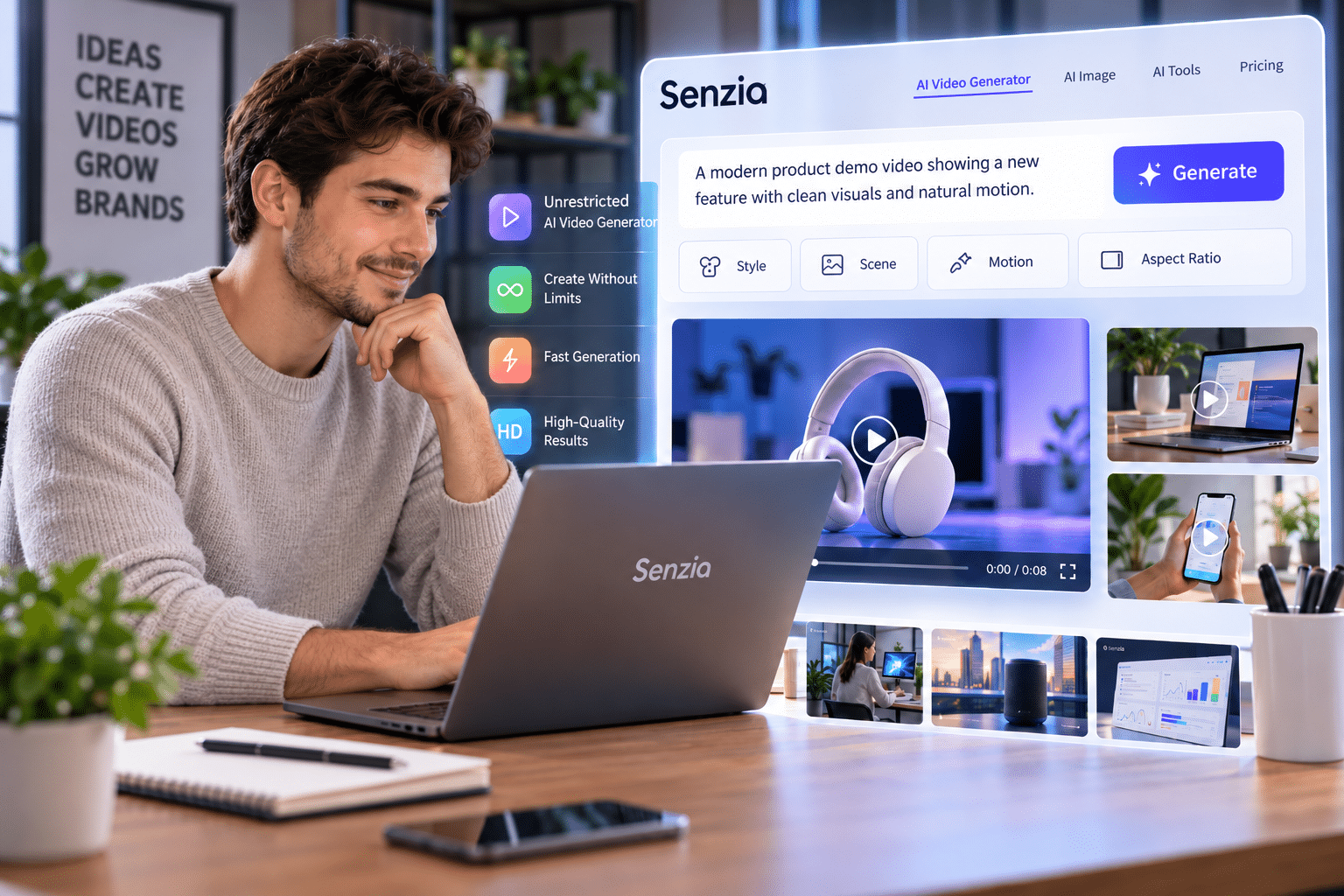
Senzia offers browser-based AI video and image creation tools. It has a video generator that takes a written description of the scenes and allows for changes to movement, framing, and visual style.
If you’re looking for a starting point for an initial product-update concept, the Senzia unrestricted AI generator is a practical option to get you moving on turning the words into motion.
A team may provide a description of the product, its context, and what they want the product to do, and then discuss the clip they have produced. Senzia also outlines a workflow with which it is possible to compare takes and export the selected videos in MP4 format.
Those capabilities make it suitable for initial consideration, although every generated result still requires inspection against the original product brief.
Drop the clip that rewrites the offer
An unrestricted AI video maker that changes the product is out
A generator can create believable motion, but add elements that are not in the announcement.
Think of a company that’s selling a small wireless speaker. If a video is created and displayed on a screen, or the controls of the device are changed, the clip is no longer an advertisement of the advertised device.
When testing an unrestricted AI video maker, you will need to compare it to the actual product, not its output.
Conduct a brief inspection of each candidate with a short inspection checklist:
- Product identity: Does the product have a recognizable design?
- Is the feature accuracy as described?
- Message clarity: Are the intended update(s) clear for viewers?
- Continuity: Is the product recognizable throughout the clip?
Avoid any take that contains a sense of contradiction.
An unrestricted video generator still has to show the line the update opened with
A good video for a product update keeps the viewer connected to the content of the announcement and the action in the video.
If the update includes new features for quicker sharing of documents, this should be the clip’s message—not random office scenes.
Senzia’s AI generator no restrictions page describes prompt-based scene direction, including movement, lighting, and framing. These options can help creators specify an intended visual sequence.
However, detailed prompts do not guarantee accurate product representation. Teams should compare generated frames with approved references before choosing footage for publication.
Free does not excuse a new product
An unrestricted AI video generator free online result fails when the offer changes
It can be easier than anything else to try out a few different ideas for yourself first before investing resources, particularly when it is a team that’s putting in effort.
Senzia claims that its video generator software has a free-to-start browser interface. This is a way to get a look at the scene descriptions without having to set up a regular video shoot first.
However, the video generated by the free online AI video generator requires the same editing process as the video generated by the paid service.
The relevant questions remain straightforward: Is the correct product visible? Does the sequence support the announcement? Has the generator introduced unsupported features?
It is important to confirm access conditions, available credits, and export allowances prior to production planning based on any free offering.
An unlimited free AI video generator means the weak take gets another pass, not a stack of finished clips
Teams might be interested in repeatedly experimenting with AI-generated videos when they hear unlimited free AI video generator. But this is a claim of freedom from generation as opposed to freedom of access.
The number of attempts is determined by the conditions of the service, access to the service, and applicable use limitations.
Even more important, the longer the generations the more good instructions need to be.
Do not request another general animation of the product; rather, identify its specific defect in the old animation. Describe any particular product form, activity, or context.
The revised prompt should explicitly tackle that issue. A single, general description won’t lead to selecting the final clip.
Keep the tool a colleague would recognise
The keeper is the clip that still matches the sentence without a footnote
A top candidate will have to be able to announce with no lengthy explanation from the person who made the announcement.
A simple method of review is for a colleague to watch the video who is familiar with the product and unfamiliar with the prompt.
Inquire about the incident that occurred, what is being provided, and what they need to do.
If the colleague mentions another characteristic or misunderstands the offer, then the clip needs to be edited.
The process will help make the separation between visually pleasing footage and the content that conveys the real business announcement.
A second pass only counts if the product is the product in the update
Teams should see if the modified version of the clip is substantially the same as the original announcement and references to the product are available.
With a formal quality check, you can help prevent minor inconsistencies in visuals from becoming published inconsistencies.
- Opening frame: Ensure that the desired product or setting is clearly recognizable.
- Middle sequence: See if there are changes in the shape, interface elements, labels, or functionality.
- Write: Make sure that the planned demonstration of the product is facilitated by the movement.
- Closing frame: Make sure that the final action is the same as the announcement.
- Approval: For any depiction of real features, seek approval from the product owner.
Where actual interface behaviour or technical specifications need to be demonstrated, generated footage should not be used in place of actual demonstrations.
When appropriate representation is not possible, screenshots or approved product recordings or traditional footage may be more suitable.
The one file the update can run
The last second should still be the action you named
The ending is important to tie the visual sequence to the desired business action.
The booking action may be the last thing in a product update announcing a new feature: booking. A software release may be recorded on the approved interface, or there is a clear indication of the new feature.
Don’t finish with anything unrelated to the product or with a promise that cannot be fulfilled, or with a distracting visual.
If you do create any call to action, make sure it is phrased in an approved manner and directs viewers to the next step to take.
That file goes with the note you already have
The chosen video should not be the replacement for the approved product announcement, but rather support it. Ensure that all written release, product references, and final video are kept together and can be checked by reviewers to ensure that they convey the same information.
Verify the exported file before distribution, ensure the permissions required, and preview the clip in the channel(s) of distribution. One accurate, well-presented video is more helpful than multiple polished videos that confuse. The purpose of the exercise isn’t just to create movement. It is best to inform about a product change without altering the facts.