





























Visual development tools have soared in popularity, and for designer-makers (those who create products without wanting to be buried in boilerplate) they’re the productivity shift.
Whether you’re building a landing page, a mobile-app prototype, an internal dashboard or a full launch product, these platforms let you stay highly visual, iterate fast, and still deliver real production-ready results.
Here’s a carefully curated list of 10 standout visual development platforms (in no particular corporate hierarchy, but roughly ordered from “visual website first” toward “app / full-stack builder”)—with what makes each special, who it’s ideal for, and any caveats to keep in mind.
Join The European Business Briefing
New subscribers this quarter are entered into a draw to win a Rolex Submariner. Join 40,000+ founders, investors and executives who read EBM every day.
SubscribeNote: If you’re a designer thinking “Hey, I just want to drag & drop and skip the fuss,” or a maker thinking “I want real results, not just prototype fluff,” this list is for you.
1. Rocket.new
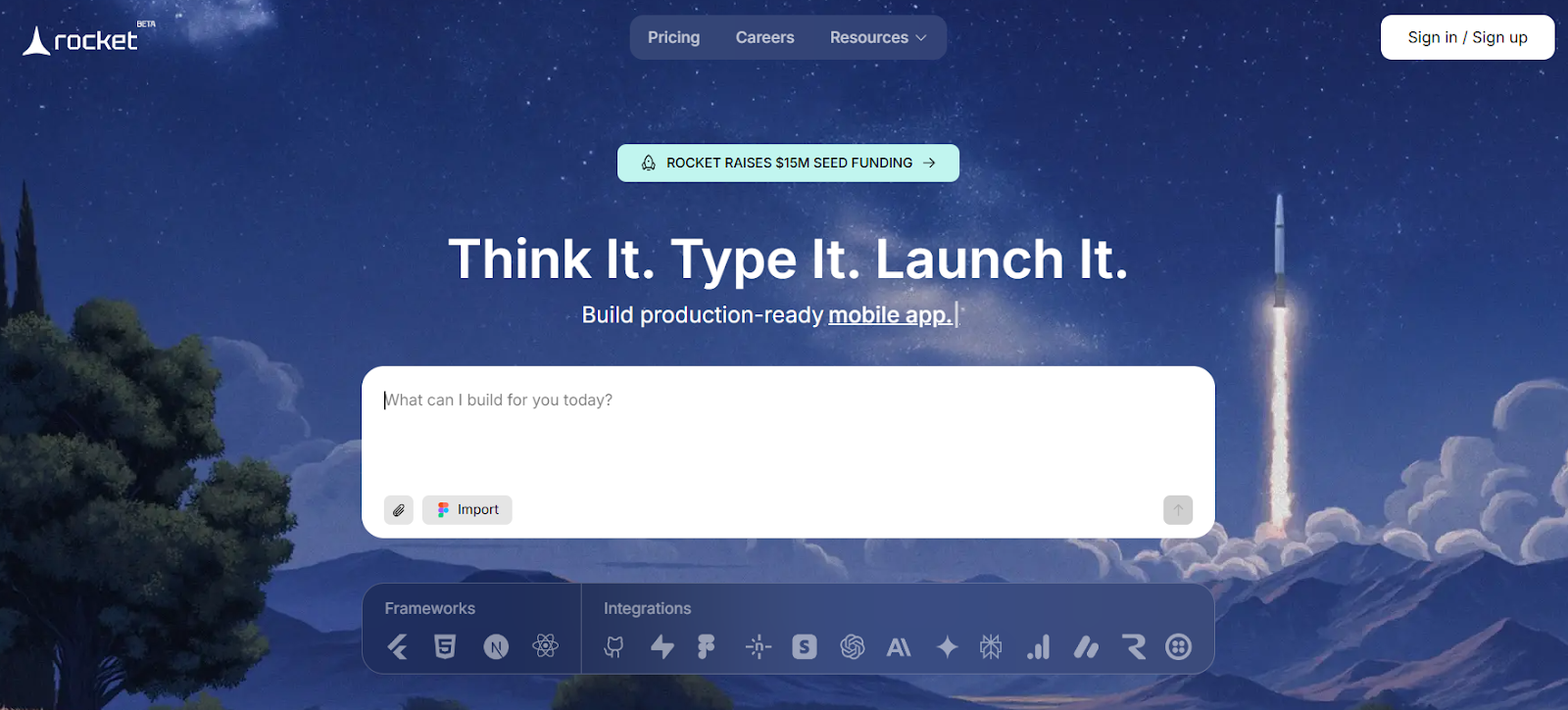
It’s no surprise this one leads the list. Rocket.new — the AI builder for modern teams — automates frontend, backend, and database generation, helping you build and launch production-ready apps up to 10× faster.
Highlights:
- Handles both web & mobile targets (so you’re not just stuck building “a website”).
- Strong AI + visual combo: you can start from a Figma design or prompt, and Rocket.new helps generate clean code, scaffold workflows, and launch faster.
- Great for designer-makers who want to skip the hand-off to developers or drastically reduce that dependency.
Ideal for:
- Startups or solo makers who want to launch an MVP quickly.
- Designers comfortable with Figma (since you’ll likely push a design into the builder).
- Projects where speed + polish matter (landing pages, internal tools, simple consumer apps).
Caveats:
- As with many “all-in-one” tools, you might hit limits if you need very custom logic or heavy backend integrations.
- Pricing, scaling and code export details may matter—check versioning, maintainability, and team workflows.
2. Webflow
Arguably, the gold standard for visual web design. Webflow lets you design and publish production-ready websites with a powerful visual canvas that combines design freedom with HTML/CSS/JS output.
Highlights:
- Pixel-perfect design capabilities: you’re not constrained to templates only.
- Built-in CMS, e-commerce and hosting; meaning you can go from “design” to “live site” in one platform.
- Strong community, template marketplace and ecosystem.
Ideal for:
- Web designers who want to retain full creative control but avoid boilerplate front-end code.
- Agencies delivering client sites, landing pages, and marketing microsites.
- Makers who want a polished web presence quickly.
Caveats:
- While Webflow is powerful, building complex app logic (e.g., custom workflows, mobile app UI) may require plugins or auxiliary tools.
- The learning curve: Visually, you’ll get accustomed to CSS-explicit controls (grids, flex, breakpoints) even though you’re not coding.
3. Framer
Framer flips the script: It’s both a design tool and a website builder, with a strong visual component and production-level output.
Highlights:
- Start in a Figma-style environment, then publish as a website.
- Built-in CMS, animations/interactions, and modern web standards.
- Good for designers who want to stay in one tool from prototype to live site.
Ideal for:
- Designers doing “design + launch” workflows without a separate hand-off.
- Marketing pages, online portfolios, and smaller interactive web apps.
Caveats:
- Though Framer has grown into a full builder, extremely complex backend logic or large-scale apps may push beyond its sweet spot.
- Performance and scaling must be checked if you go big (traffic, e-commerce, etc.).
4. Bubble
Bubble is a “visual web (and mobile-web) app platform” — think drag-and-drop + logic workflows + database — for serious applications without coding.
Highlights:
- Visual editor for UI, plus visual workflows (if this happens, then that happens).
- Built-in database, plug-ins, API integrations. “Launch real apps without limits.”
- Suited for web apps, marketplaces, internal tools, and SaaS prototypes.
Ideal for:
- Makers who want to build “app-level” functionality without writing code.
- Product teams with smaller budgets or constrained developer availability.
- Designers willing to embrace logic-building (visual logic) rather than just pure layout.
Caveats:
- Because it covers a lot, there may be trade-offs in fine-tuned performance, design freedom vs frameworks.
- Migration or custom code may be needed if you scale or want complete control later.
5. Glide
Glide is more mobile-/app-centric: build custom apps (mostly on mobile/web) from spreadsheets, drag-and-drop, and visual logic.
Highlights:
- Very fast to prototype: you can turn a Google Sheet or CSV data into a live app, customize UI visually.
- Focused on “no code, mobile web + native style apps” with very little friction.
- Great for internal tools, clubs/communities, and quick consumer apps.
Ideal for:
- Designers/makers who want mobile-first results and quick iteration.
- Teams that need internal apps or MVPs for mobile users.
- Use-cases where database + UI + logic are simple/medium complexity.
Caveats:
- If you need very complex backend logic, heavy custom integrations or full native mobile (App Store/Play) features, you might hit walls.
- Visual freedom on UI may not match full custom code but that’s the trade-off.
6. Softr
Softr is a visual builder especially strong for portals, internal tools, landing pages, membership sites — all with drag-and-drop + pre-built blocks.
Highlights:
- Pre-built components (tables, lists, user authentication, portals) you just assemble.
- Focus on internal tools, SaaS landing pages, membership/portal style experiences.
- Good for designers who want to avoid building from scratch.
Ideal for:
- SMEs or startups building membership sites, customer portals, dashboard/portal for users.
- Designers working with minimal developer hand-off.
- Projects where speed > ultra‐custom visuals.
Caveats:
- Less freedom than full-design tools; you’re in “assemble blocks” mode rather than “design everything.”
- If you need very unique UI or custom animations, you may need to code-out or combine with another tool.
7. Retool
Retool is more enterprise-/workflow-oriented: build internal tools and dashboards visually, connecting to APIs, databases, etc.
Highlights:
- Drag-and-drop UI components + capability to connect to any database/API/LLM.
- Built for “internal software better, with AI” and real data workflows.
- Great for teams that want to build custom dashboards, CRMs, operations tools visually.
Ideal for:
- Designers or makers working in a product team or startup building internal tools (ops, admin, analytics).
- Teams where developer resources are constrained and you want faster internal-tool iteration.
- Visual creators focused less on consumer UI perfection and more on functional dashboards.
Caveats:
- Not as “design-first” in the sense of highly polished consumer UI; more utility-driven.
- Might require some understanding of data/APIs to get full value.
8. Adalo
Adalo is a no-code builder with a strong focus on native mobile apps (iOS + Android) plus web, via visual components and logic.
Highlights:
- Build mobile apps without writing code; publish to App Store/Play.
- Pre-built UI components optimized for mobile, plus visual database and logic layers.
- Good for designers stepping into mobile product territory.
Ideal for:
- Maker-designers who specifically want a mobile-app (not just web) presence.
- Early-stage product teams testing mobile concepts.
- Projects where you want to launch faster and iterate before custom development.
Caveats:
- Native mobile development trade-offs: performance, custom native modules might be limited.
- Design freedom vs a fully custom native codebase has limits.
9. Appsmith
Appsmith is an open-source low-/no-code platform focused on building internal web apps/dashboards with visual UI plus code-option.
Highlights:
- Visual builder for UI components + data binding + custom logic (with code if needed).
- Open-source nature gives makers more control and extensibility.
- Great for internal dashboards, admin tools, and data-centric interfaces.
Ideal for:
- Makers/designers working in startups who need to build internal tools but also want the option to scale or customize.
- Teams that want a blend of visual development + optional code when required.
- Designers are comfortable stepping a little into logic/data rather than purely layout.
Caveats:
- More “tool builder” than “polished consumer UI builder” in many cases.
- Might require a little more technical comfort (APIs, data bindings) than purely drag-drop tooling.
10. Draftbit
While not always top of mind, Draftbit is worth including: a visual mobile-app builder for React Native style apps, aimed at designers/makers building mobile apps visually. (I couldn’t pull as heavy recent citations as some others, but it remains a known platform.)
Highlights:
- Build mobile apps visually, then export to real code (React Native) if you want.
- Good bridge between pure no-code and full-code mobile development.
- Ideal for designers who want a mobile presence and eventually may involve devs.
Ideal for:
- Maker-designers in the mobile domain who might eventually engage developers.
- Projects where you want visual prototyping today but plan to scale with code tomorrow.
- Teams are comfortable evolving their stack.
Caveats:
- Because export to code is possible, you might require dev resources later to maintain/customize.
- Visual builder may have constraints compared to a totally custom codebase.
Why Visual Development Is Changing the Game
Visual development is the creative revolution of the 2020s. It doesn’t just speed up building; it reshapes how teams think about design, testing, and iteration.
Here’s why it matters:
- Designers become makers. You can now own the end-to-end experience.
- Prototyping turns into production. No more wasted mockups — every pixel can become functional.
- Small teams scale big ideas. You don’t need full engineering teams to launch anymore.
- Code and creativity merge. Visual tools generate real, clean code under the hood.
Whether you’re a solo creator or a product designer in a team, this shift means you can ship faster and smarter.
Final Thoughts: The Era of Creative Builders
Visual development tools aren’t replacing developers; they’re amplifying creativity. They empower designers to build functional systems, makers to launch faster, and teams to experiment without waiting in the dev queue.
The days of “design first, code later” are fading. Now, you can design, build, and ship all in the same flow.
If you’re a designer, you’re no longer limited to mockups.
If you’re a maker, you can launch ideas in days, not months.
And if you’re a developer, these tools clear the clutter so you can focus on what truly matters: innovation.
So start small. Pick a tool. Build something real.
Because in this new era, creativity is the new code, and every great product starts with a visual spark. 🚀