



























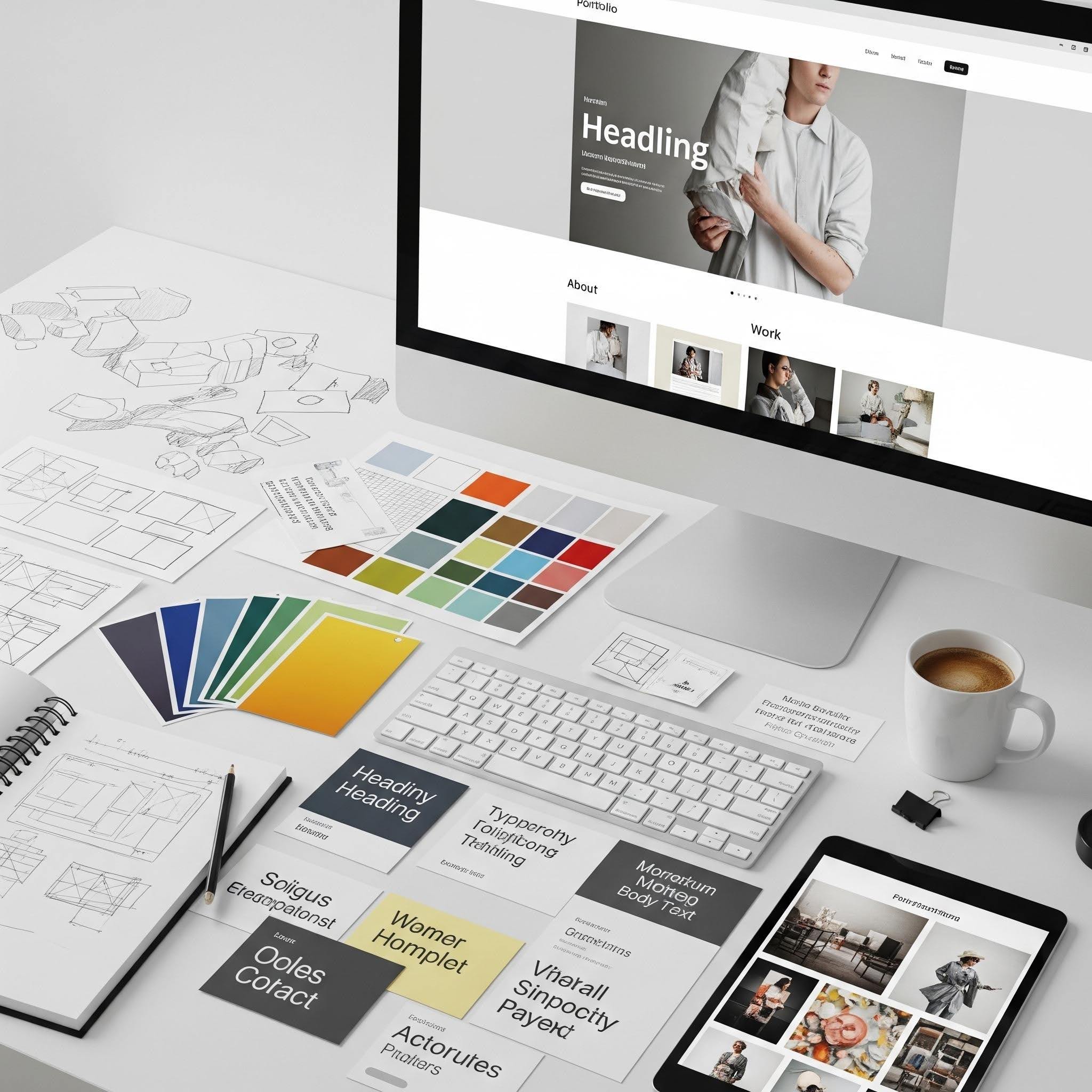
You found the perfect portfolio template. The layout is clean, the structure is solid, and you can already picture your work living there. The only problem? A thousand other creatives had the same thought. A great template is a fantastic starting point, but it’s not the finish line. The real magic happens when you inject your unique personality into it, transforming a solid foundation into a portfolio that truly feels like you.
Making a template your own isn’t about reinventing the wheel. It’s about swapping out the tires, adding a fresh coat of paint, and putting your favorite air freshener in the rearview mirror. You can create something that looks custom-built without spending weeks wrestling with code. This guide will show you how to take that template and make it an authentic reflection of your talent.
TL;DR: Your Template, Your Rules
In a rush? Here’s the quick guide to making a portfolio template your own. Think of it as a cheat sheet for turning a great design into something that’s uniquely you.
Join The European Business Briefing
New subscribers this quarter are entered into a draw to win a Rolex Submariner. Join 40,000+ founders, investors and executives who read EBM every day.
Subscribe- Choose Wisely: Start with a template that matches your content’s structure, not just its look.
- Create a Mood Board: Define your personal brand’s colors, fonts, and vibe before you start editing. This keeps your design consistent.
- Change the Big Three: Always customize fonts, colors, and button styles to immediately make the template look different.
- Personalize the Layout: Don’t be afraid to move things around. Change the order of sections or experiment with different gallery layouts.
- Write Compelling Copy: Your words matter as much as your visuals. Write a bio that shows your personality and project descriptions that tell a story.
- Add Custom Touches: Incorporate a unique logo, custom icons, or a personal favicon to complete the look.
It Starts with Picking the Right Foundation
Before you can customize, you need to choose the right canvas. It’s tempting to pick a template based on the cool photos or the trendy color scheme you see in the demo. But the best way to choose is to ignore the cosmetics and look at the skeleton.
Ask yourself: Does the structure of this template match the type of work I do?
- For Photographers and Visual Artists: Look for templates with large, immersive image galleries. You want layouts that let your photos do the talking. Grid-based or full-screen templates work beautifully.
- For Writers and UX Designers: Clean design meets clear messaging: Your work needs context. Use a case-study template that blends text and images seamlessly. Choose a layout that gives you the space to explain your process, not just showcase the final product.
- For Videographers: Your priority is video. Look for templates that feature prominent video players and support high-resolution playback without slowing down the site.
Choosing a template with the right bones saves you from a massive renovation project later. You’ll spend your time personalizing, not rebuilding.
Define Your Brand with a Mood Board
Okay, you have your template. Before you dive into the editor and start clicking random colors, take a step back. The best way to create a cohesive look is to build a simple mood board. This is your personal brand bible.
Open up a simple design tool or even a new page in your site editor and gather these elements:
- Your Color Palette: Pick 2-3 primary colors and 1-2 accent colors. Use a tool like Coolors to find palettes that work well together. Think about the emotion you want to convey. Is your brand energetic and bold, or calm and professional?
- Your Typography: Choose two fonts: one for headlines and one for body text. A distinctive headline font can add a ton of personality, while a clean, readable body font ensures your descriptions are easy to digest. Google Fonts is a great resource for finding font pairings.
- Inspiration Images: Find 5-10 images that capture the feeling you’re going for. This could be anything from a piece of architecture to a fashion photo. These images will guide your design choices.
With your mood board complete, you now have a cheat sheet for customizing your template. It ensures every change you make is intentional and contributes to a unified look.
Customization 101: The Non-Negotiables
If you only do a few things, do these. These changes have the biggest impact and will instantly separate your site from the template’s default look.
1. Swap Out the Fonts
Typography is the body language of your website. The default fonts in a template are often chosen to be safe and neutral. Swapping them for the fonts you picked for your mood board is a game-changer. This simple change affects every page and immediately gives your site a custom feel.
2. Apply Your Color Palette
This is where your mood board really shines. Go through the template and replace the default colors with your own.
- Backgrounds: Change the main background color. Even a subtle shift from pure white to a soft off-white can make a huge difference.
- Text: Apply your primary text color.
- Buttons & Links: Use one of your bold accent colors for all clickable elements. This creates a clear visual language for your users.
3. Rethink the Layout
You don’t have to stick to the original floor plan. Most modern website builders have flexible editors that let you move things around.
- Reorder Sections: Maybe you want your “About Me” section to come before your “Contact” page. Drag it up.
- Change Gallery Styles: Your template might default to a grid gallery. See how it looks as a carousel or a masonry layout instead. A different presentation style can completely change the feel of your portfolio.
- Adjust Spacing: Play with the spacing between elements. Increasing the white space can make your design feel more open and luxurious.
Tell Your Story with Words and Pictures
A portfolio isn’t just a container for your work; it’s a narrative. The default “Lorem Ipsum” text and placeholder images are just waiting for you to tell your story.
Write a Bio That’s Actually You
Ditch the generic “Passionate and detail-oriented creative…” bio. Write something that shows your personality.
- Tell a short story: How did you get into your field? What was a breakthrough moment for you?
- Be specific: Instead of saying you’re a “problem-solver,” describe a specific problem you solved.
- Add a personal touch: Mention a hobby or a fun fact. It makes you more relatable and memorable.
Craft Compelling Project Descriptions
Don’t just upload your work and call it a day. For each project, explain your process.
- The Challenge: What was the problem you were trying to solve?
- Your Role: What was your specific contribution to the project?
- The Process: Briefly walk through your steps. What tools did you use? What choices did you make?
- The Outcome: What were the results? Did you increase sales, engagement, or user satisfaction?
This transforms your portfolio from a simple gallery into a collection of success stories.
Add the Finishing Touches
These small details are what make a site feel truly polished and professional.
- Create a Custom Logo: A simple, text-based logo with your name in your chosen headline font is often all you need. It adds a touch of authority.
- Use Custom Icons: Instead of using generic social media icons, find or create a set that matches your brand style.
- Set a Favicon: The little icon that appears in the browser tab is a small but important detail. Upload a simplified version of your logo or your initials. It makes your site look complete.
- Personalize Your “Contact” Page: Instead of a generic form, add a friendly photo of yourself and a warm message inviting people to reach out.
FAQ: Customizing Your Portfolio
Is it bad to use a portfolio template?
Not at all! Templates are an incredible resource. They provide a professionally designed, mobile-responsive foundation that saves you time and money. The key is to use the template as a starting point, not the final destination.
How much should I customize?
It’s all about balance. You want it to stand out, but you don’t want to stray too far from the design principles that made the template effective in the first place. Focus on customizing colors, fonts, resizing images, and updating the copy. These adjustments make the biggest impact without needing to redesign the entire structure.
Can I change my template later?
With most modern website builders, yes. Platforms like Wix allow you to easily switch templates if you find one that better suits your evolving style. Your content is often saved, so you can apply it to a new design without having to start from scratch.
By putting in a little extra effort to customize, you can turn a popular template into a portfolio that is an undeniable reflection of you. It shows potential clients not only what you can do, but who you are. So go ahead—break the mold and build something you’re proud to share.