






























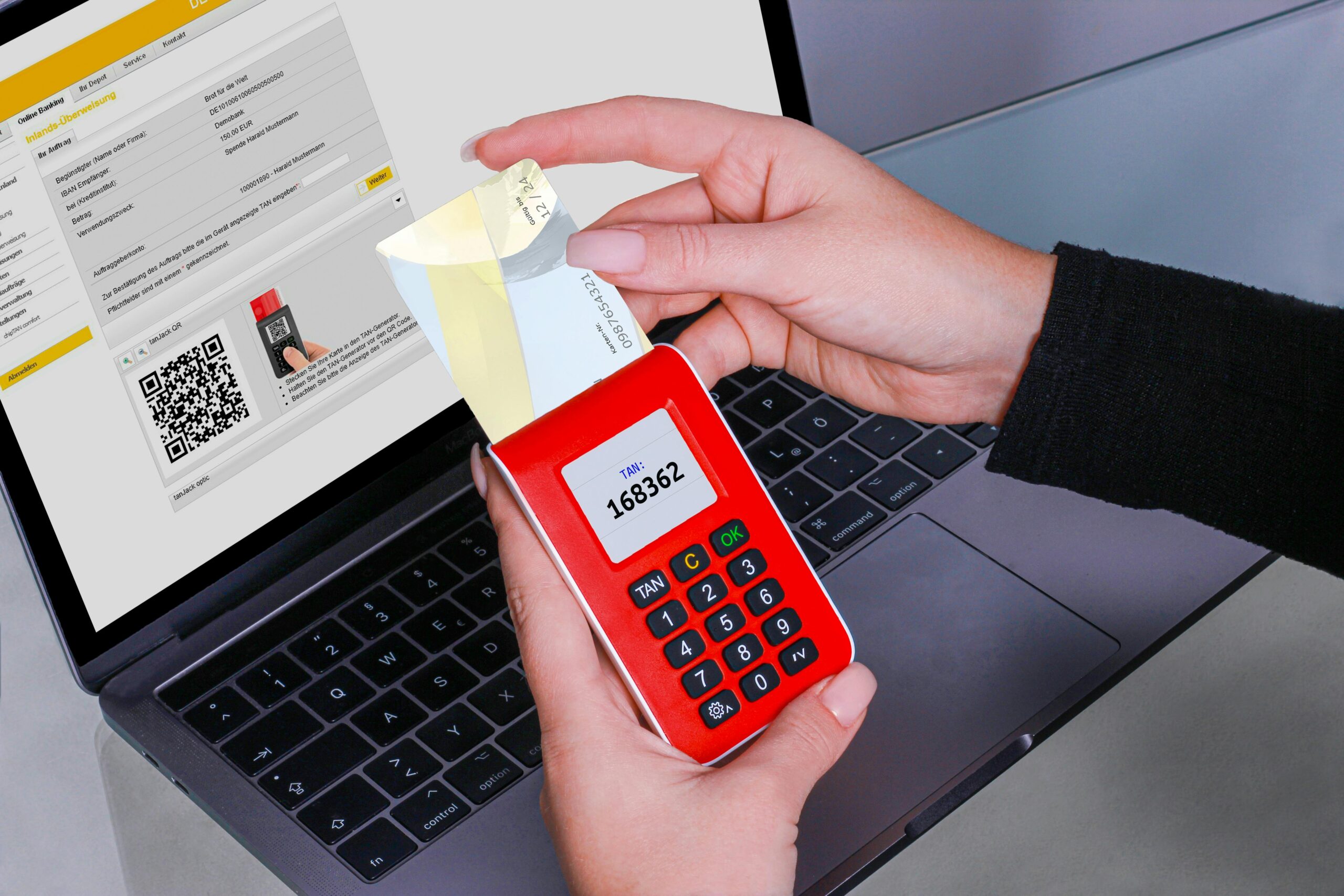
What Is Two-Factor Authentication?
Two-factor authentication (2FA) adds a second layer of login security beyond your password, requiring something you have (phone, hardware key) or something you are (biometric). Even if your password is stolen, 2FA blocks unauthorized access. Authenticator apps like Google Authenticator are safer than SMS-based 2FA.
How Two-Factor Authentication Works
Passwords alone are no longer sufficient. In 2025, over 80% of successful account breaches involved stolen or weak passwords — credentials that were either reused across services, leaked in a data breach, or guessed through brute force.
2FA addresses this by requiring a second proof of identity at login. The logic is simple: even if an attacker has your password, they still cannot access your account without the second factor.
Join The European Business Briefing
New subscribers this quarter are entered into a draw to win a Rolex Submariner. Join 40,000+ founders, investors and executives who read EBM every day.
SubscribeThe three categories of authentication factors are:
- Something you know — password, PIN, security question
- Something you have — phone, hardware security key, smart card
- Something you are — fingerprint, face scan, retina scan
Two-factor authentication combines any two of these categories. The most common combination is a password (something you know) plus a one-time code sent to your phone or generated by an app (something you have).
Best for most users: an authenticator app like Google Authenticator, Authy, or Microsoft Authenticator. These generate time-based codes that expire every 30 seconds — far more secure than SMS.
SMS 2FA vs Authenticator App vs Hardware Key
Not all 2FA methods are equal. In my testing across multiple platforms, the security gap between SMS-based 2FA and an authenticator app is significant — and most people do not realize it.
| Method | How It Works | Security Level | Vulnerable To |
| SMS code | One-time code sent via text message | Low–Medium | SIM swap attacks, SS7 interception |
| Authenticator app | Time-based code generated on your device | High | Physical device theft (mitigated by phone PIN) |
| Hardware key (FIDO2) | Physical USB or NFC key you tap | Very high | Physical loss of the key |
| Biometric | Fingerprint or face scan | High | Spoofing (rare), legal compulsion |
| Email code | One-time code sent to your email | Low | Email account compromise |
Best for high-value accounts (banking, email, crypto): a hardware key like YubiKey. Once registered, it is nearly impossible to compromise remotely.
Best for everyday accounts: an authenticator app. Free, works offline, and generates codes that cannot be intercepted over the network.
Avoid SMS 2FA where possible: SIM swap attacks — where a criminal convinces your mobile carrier to transfer your number to their SIM — give them full access to your SMS codes. In 2025, SIM swap fraud cost US consumers over $68 million.
Setting Up 2FA on Major Platforms
Enabling 2FA takes under three minutes on most services. Here is where to find it:
| Platform | Path to 2FA Settings |
| myaccount.google.com → Security → 2-Step Verification | |
| Apple ID | Settings → Your Name → Password & Security → Two-Factor Authentication |
| Settings → Security and Login → Two-Factor Authentication | |
| Settings → Security → Two-Factor Authentication | |
| Microsoft | account.microsoft.com → Security → Advanced security options |
| Twitter/X | Settings → Security and account access → Security → Two-factor authentication |
| Coinbase / crypto | Security Settings → 2-Step Verification → select Authenticator app |
Priority order: secure your email account first. Email is the master key — whoever controls your inbox can reset passwords on every other account.
Phishing Attacks That Bypass 2FA
2FA significantly raises the bar for attackers, but it is not impenetrable. In 2026, the most common 2FA bypass technique is real-time phishing, also known as adversary-in-the-middle (AiTM) attacks.
Here is how it works:
- You receive a convincing phishing email with a link to a fake login page
- The fake page forwards your credentials and 2FA code to the real site in real time
- The attacker logs in using your session before the code expires
- They lock you out by changing your password or generating new sessions
This attack is why hardware keys (FIDO2) are the gold standard — they are domain-bound, meaning they only authenticate on the legitimate website. A hardware key physically cannot complete authentication on a phishing site.
Best defence against AiTM attacks: switch to passkeys or FIDO2 hardware keys for your most critical accounts. These are immune to real-time phishing by design.
Why 2FA Alone Is Not Enough
2FA is a critical layer of protection, but it works best as part of a broader security strategy.
Use a password manager. 2FA does not help if your password is being shared across thirty sites. A breach on one exposes all the others. A password manager generates and stores unique, complex passwords automatically.
Keep your recovery codes offline. When you enable 2FA, most services provide backup codes. Store these in a secure physical location — not in your email or notes app.
Protect your email account above all else. If an attacker accesses your email, they can disable 2FA on every linked account through password reset flows. Your email account needs the strongest 2FA you have.
Use a VPN on untrusted networks. Man-in-the-middle attacks on public Wi-Fi can intercept login sessions. A VPN encrypts your connection before it leaves your device. I tested Planet VPN on public networks — it uses AES-256 encryption, requires no registration, and works across all major platforms, making it a practical complement to 2FA for everyday security.
Frequently Asked Questions
What is the most secure form of 2FA? Hardware security keys using the FIDO2/WebAuthn standard — such as YubiKey or Google Titan Key — are the most secure. They are phishing-resistant by design and cannot be compromised remotely.
Can I use 2FA without a smartphone? Yes. Hardware keys work without a phone. Some services also support backup codes or desktop authenticator apps. For phone-free 2FA, a hardware key is the best option.
What happens if I lose access to my 2FA device? Most services provide backup recovery codes when you enable 2FA — store these in a safe place. Alternatively, some authenticators like Authy support encrypted cloud backup. If you lose access entirely, account recovery typically requires identity verification with the service provider.
Is 2FA required by law for any services? In regulated industries, yes. Financial services under PCI DSS, healthcare platforms under HIPAA, and many EU services under NIS2 are required to implement multi-factor authentication for sensitive systems. For consumers, it remains voluntary but strongly recommended.
Does enabling 2FA slow down login? Minimally. An authenticator app adds 5–10 seconds to the login process. Hardware keys are even faster — a single tap completes authentication. The security benefit vastly outweighs the minor inconvenience.
Is passkey the same as 2FA? Not exactly. A passkey combines both authentication factors — possession (your device) and biometric (your fingerprint or face) — into a single step. It effectively replaces both your password and 2FA with one cryptographically secure credential. Passkeys are being adopted by Google, Apple, Microsoft, and major platforms as the future of authentication.